
Android guide
Share to ReelToDo on Android.
Use the share menu or copy a link. The steps are the same for Facebook, Instagram, TikTok, and YouTube.
FacebookInstagramTikTokYouTube
Start here
Open the Reel or Short in your social app, then follow one of the methods below.
See the supported sources list.
Before sharing
ReelToDo is installed and you are signed in.
The post is public or shareable.
You are connected to the internet.
Choose a sharing method
The Share menu is fastest, but Copy link works anytime.
You’ll see a preview before saving so you can confirm it’s the right video.
Use the Android share menu
Recommended when ReelToDo appears in your share targets.
- Tap Share.

Share buttons look different across apps. - Choose ReelToDo in the share menu. If it’s missing, tap More and enable it.
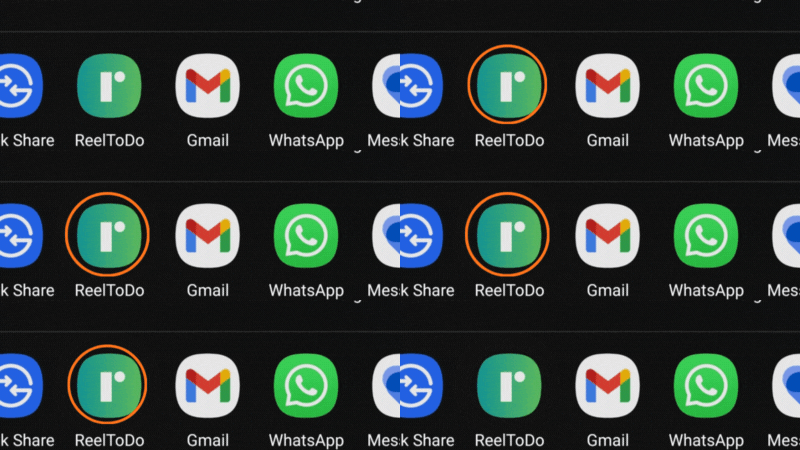
Select ReelToDo in the share menu. 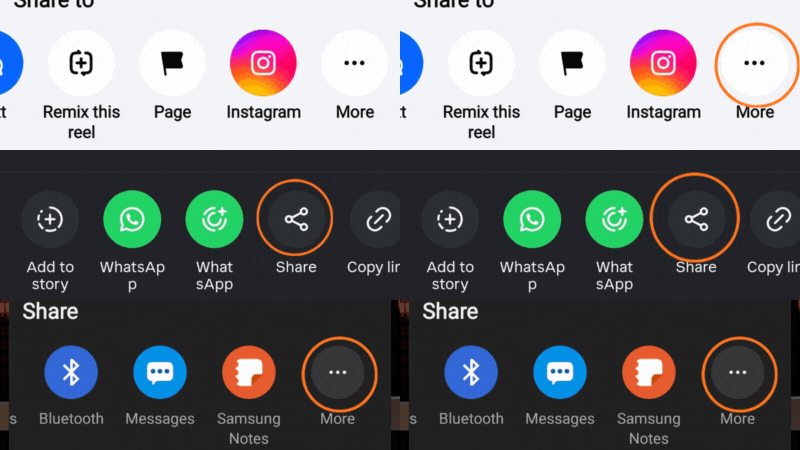
More buttons look different across apps.
Copy the link
Great backup if you do not see ReelToDo in the share menu.
- Tap Share.
Share buttons look different across apps. - Select Copy link.
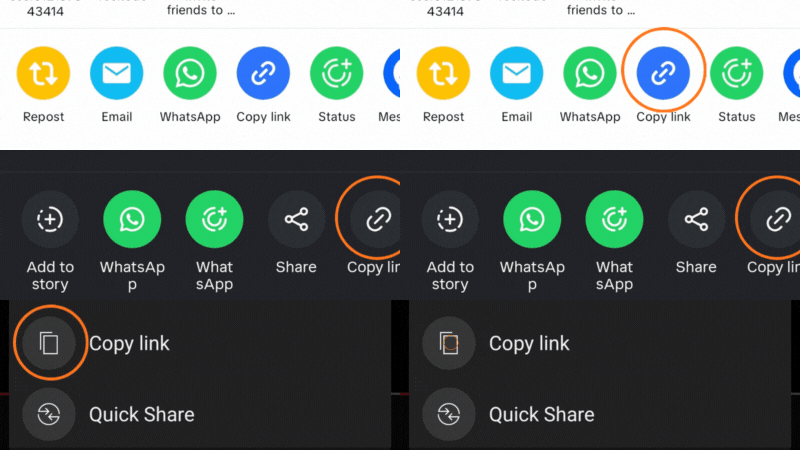
Copy link buttons look different across apps. - Open ReelToDo and tap Import.
- Paste the link.
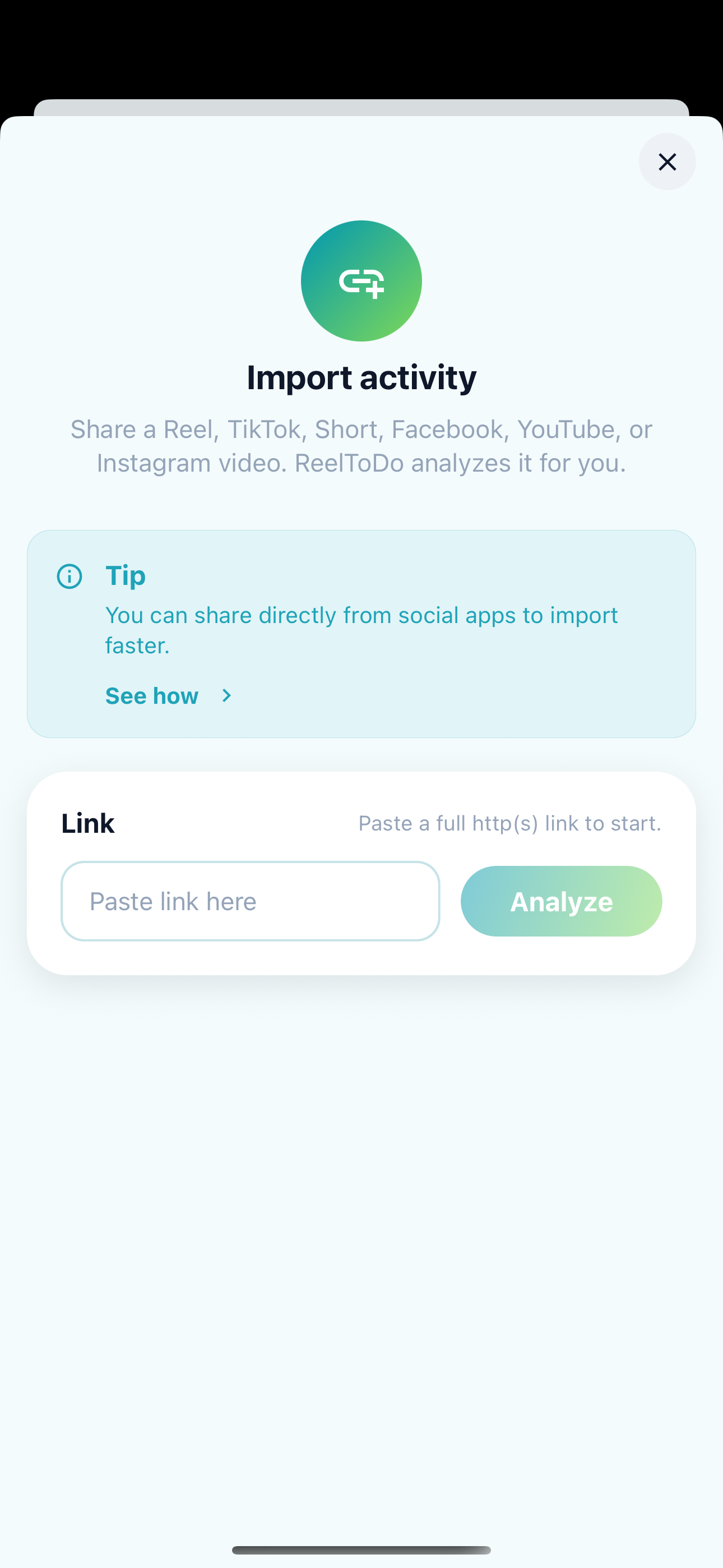
Paste the link in ReelToDo to load the preview.
Tips for Android
If ReelToDo is missing, refresh the share menu or import from a copied link.
Add ReelToDo to the share menu
Tap Share, look for More, and enable ReelToDo. It will appear as a share target the next time you share.
Check that the post is public
Private group content cannot be imported yet. Public posts work best.
Troubleshooting
- If ReelToDo is missing from the share menu, use More to enable it or refresh the share targets.
- If copy link does not show a preview, confirm the post is public and you are online.
- If Import fails, make sure you are signed in and try again.
Still stuck? Contact support.